 mz.

A client’s staging site went dark last month because a Let’s Encrypt renew failed quietly for six weeks. No alarm, no dashboard, just an expired padlock and an angry WhatsApp message. I now keep a 40-line bash script on every box I manage. It reads a plain text list of endpoints, asks each one for its certificate, and prints a table sorted by nothing but common sense.
Sources: the openssl s_client manpage and the Let’s Encrypt docs. No third-party deps, everything below ships with any mainstream distro.
What the script does
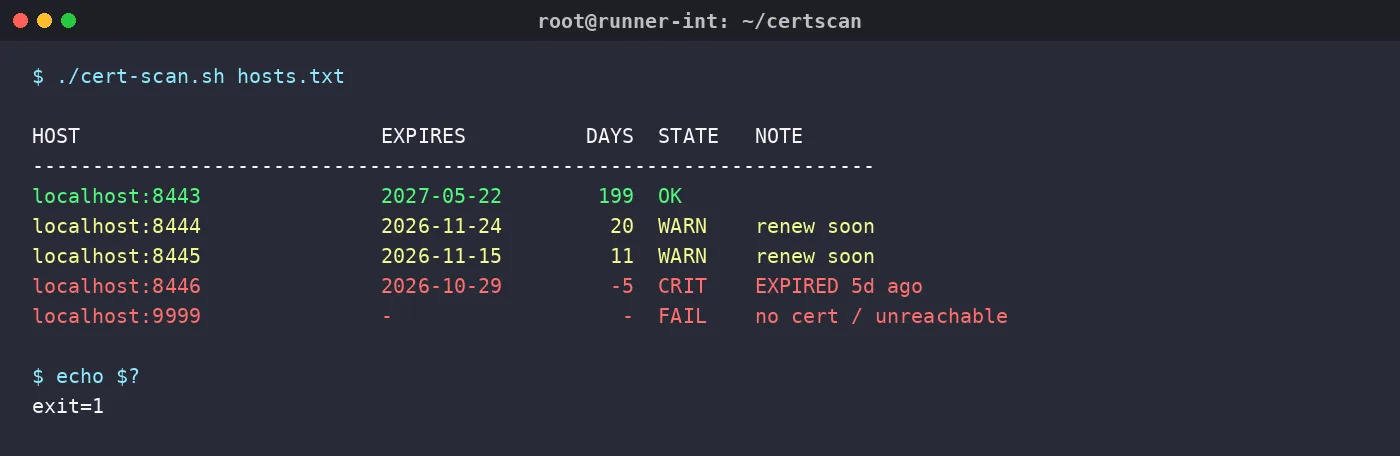
One line per endpoint: expiry date, days left, and a state of OK, WARN, CRIT or FAIL. Thresholds are two variables at the top (30 and 7 days by default). The exit code is 0 when everything is healthy and 1 when anything is not, so cron or a monitoring hook can alert without parsing the table. If you already run Uptime Kuma with Telegram alerts, this slots in as a monthly belt-and-braces check on top.
The script
#!/usr/bin/env bash
# cert-scan.sh - check TLS certificate expiry for a list of hosts
# usage: ./cert-scan.sh [hosts.txt]   (default: hosts.txt next to script)
# hosts file format:  host[:port]  one per line, # comments allowed

HOSTS_FILE="${1:-$(dirname "$0")/hosts.txt}"
WARN_DAYS=30          # amber below this many days left
CRIT_DAYS=7           # red below this many days left

[ -r "$HOSTS_FILE" ] || { echo "cannot read $HOSTS_FILE" >&2; exit 2; }

now_epoch=$(date +%s)
fail=0

printf "%-28s %-12s %8s  %-6s  %s\n" "HOST" "EXPIRES" "DAYS" "STATE" "NOTE"
printf '%.0s-' {1..70}; echo

while read -r entry; do
    case "$entry" in ''|'#'*) continue ;; esac
    host="${entry%%:*}"
    port="${entry##*:}"
    [ "$port" = "$host" ] && port=443

    enddate=$(echo | timeout 10 openssl s_client -connect "$host:$port" \
              2>/dev/null | openssl x509 -noout -enddate 2>/dev/null | cut -d= -f2)

    if [ -z "$enddate" ]; then
        printf "%-28s %-12s %8s  %-6s  %s\n" "$entry" "-" "-" "FAIL" "no cert / unreachable"
        fail=1
        continue
    fi

    exp_epoch=$(date -d "$enddate" +%s)
    days_left=$(( (exp_epoch - now_epoch) / 86400 ))
    expires=$(date -d "$enddate" +%Y-%m-%d)

    if   [ "$days_left" -lt 0 ];              then state="CRIT"; note="EXPIRED $(( -days_left ))d ago"
    elif [ "$days_left" -lt "$CRIT_DAYS" ];   then state="CRIT"; note="renew now"
    elif [ "$days_left" -lt "$WARN_DAYS" ];   then state="WARN"; note="renew soon"
    else                                           state="OK"  ; note=""
    fi
    [ "$state" != "OK" ] && fail=1

    printf "%-28s %-12s %8s  %-6s  %s\n" "$entry" "$expires" "$days_left" "$state" "$note"
done < "$HOSTS_FILE"

exit "$fail"The hosts file
Keep it next to the script or pass a path as the first argument. One host per line, port optional, everything after # is a comment.
# lab endpoints (synthetic demo data)
localhost:8443
localhost:8444
localhost:8445
localhost:8446
localhost:9999Verifying it: a synthetic lab
I never publish a script I have not run, so I built a throwaway lab on one VM. Four self-signed certs with controlled expiry offsets (200, 21, 12 days and one already 5 days expired), each served by openssl s_server on a localhost port, plus a dead port to test the FAIL path. The names use reserved .example domains and the whole dataset is synthetic. The lab command looks like this:
# one cert that expires in 21 days, served on port 8444
openssl req -x509 -newkey rsa:2048 -nodes -keyout vpn.key \
    -out vpn.crt -days 21 -subj "/CN=vpn.test.example"
openssl s_server -accept 8444 -cert vpn.crt -key vpn.key -www &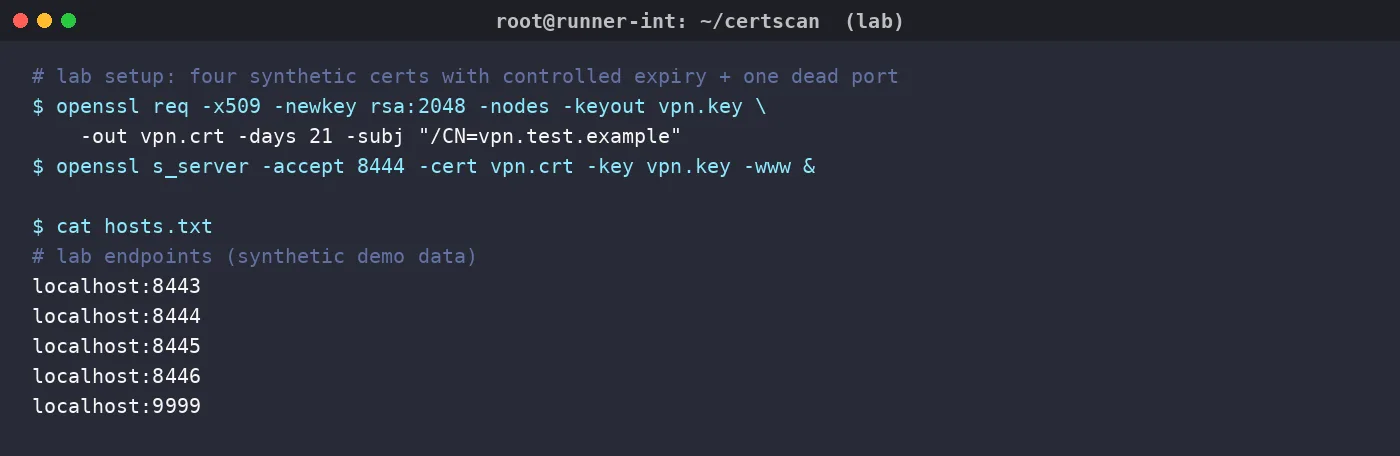
Real output
$ ./cert-scan.sh hosts.txt
HOST                         EXPIRES          DAYS  STATE   NOTE
----------------------------------------------------------------------
localhost:8443               2027-05-22        199  OK
localhost:8444               2026-11-24         20  WARN    renew soon
localhost:8445               2026-11-15         11  WARN    renew soon
localhost:8446               2026-10-29         -5  CRIT    EXPIRED 5d ago
localhost:9999               -                   -  FAIL    no cert / unreachable
$ echo $?
1That is the captured stdout, not a mock. The VPN cert shows 20 days because the script floors partial days with integer division: 20.96 days left is not yet a full 21. First time I read that line I assumed an off-by-one bug and went hunting, so consider this your free heads-up.
Two gotchas from the build
dash versus bash. My first cron test ran sh ./cert-scan.sh instead of executing the file, and the separator row collapsed into a lonely dash. That line uses printf '%.0s-' {1..70}, and brace expansion is a bashism; cron on Debian defaults to dash. The shebang only protects you when the file is invoked directly. Fix: always call it as ./cert-scan.sh, or swap the line for printf '%.0s-' $(seq 70):
$ sh ./cert-scan.sh hosts.txt
HOST                         EXPIRES          DAYS  STATE   NOTE
-handshake failures are silent. openssl s_client prints nothing useful when the port is dead or the TLS handshake fails, which is exactly why the empty-string check and the FAIL row exist. Without them the table quietly skips hosts, and a skipped host is worse than an expired one.
Cron wiring
# Mondays at 08:00, alert only when something needs attention
0 8 * * 1 /opt/scripts/cert-scan.sh /etc/cert-scan/hosts.txt || curl -fsSG "https://h.mau.my/_/telegram" -d "text=cert-scan exit $? on $(hostname)" The exit code does the alerting, so no email transport needed. Cert renewal failures usually leave traces in web server logs first, so this pairs well with the triage habits from my Nginx access log analysis post, and disk or uptime dashboards like monitoring disk space with df, du and ncdu round out the boring-but-important health checks.
Forty lines, no dependencies, one cron entry. Cheaper than one expired certificate, and by a wide margin cheaper than the conversation you have when a client finds it first.